













 課程簡介
課程簡介
為什麼選擇 Linux 與 LPI 認證?
Linux 是現代科技的核心基石。從雲端運算、大數據到人工智慧(AI),全球超過 90% 的雲端基礎設施與超級電腦均部署於 Linux
系統。其開放原始碼(Open Source)、高度安全與靈活擴充的特性,使其成為企業數位轉型的首選。
隨着 Linux 的全面普及,市場對專業運維人才的需求急劇增加。由加拿大非營利機構創立的 LPI (Linux Professional
Institute),是全球最具權威性、且不受特定廠商限制(Vendor-Neutral)的 Linux 專業證書機構。獲得 LPI
認證,代表您具備跨平台的 Linux 管理實力,深受 IBM、AWS、Google 等科技龍頭企業的廣泛認可。
LPI Linux Essentials / LPIC-1 專業證書課程本課程專為資訊科技從業員、系統工程師及 Linux 初學者設計。內容緊貼
LPI 官方最新考核標準,涵蓋主流 Linux 發行版(如 Ubuntu、Red Hat、Rocky Linux 及 AlmaLinux),助您從零開始掌握業界核心技能。
|
 有志投身
I.T. 界的人仕、網絡管理人員、網絡工程師Linux
/ Unix 系統管理人員、系統工程師資訊科技部門主管/經理 有志投身
I.T. 界的人仕、網絡管理人員、網絡工程師Linux
/ Unix 系統管理人員、系統工程師資訊科技部門主管/經理
修讀條件:對
Linux 操作指令有基本認識對互聯網及
TCP/IP 有基本概念對網絡系統及
LAN 具有濃厚與趣 |
 |
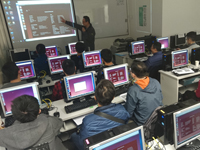
課程包括:導師精心編製
LPI Linux Level 1 課程筆記LPIC-1
Linux Level 1 for Exam 101-500 and 102-500 電子書Visual
Cert Exam (VCE) 模擬考試軟件,增強考試能力!一人一機實習,針對各科考試要點溫習再配合不同層次的
Lab Test 練習全新
10 月份 更新的模擬試題連參考答案 (模擬試題 "一年" 免費更新保證,考試更有彈性)由擁有多年
Linux 工作及實戰經驗導師任教

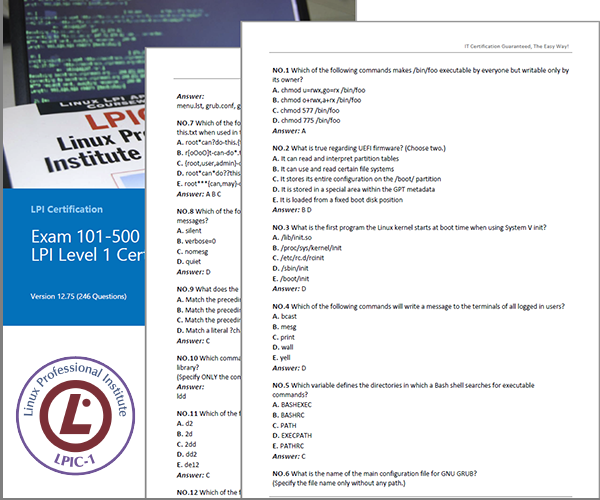
全新 7 月份 更新的模擬試題連參考答案 (模擬試題 "一年" 免費更新保證,考試更有彈性)
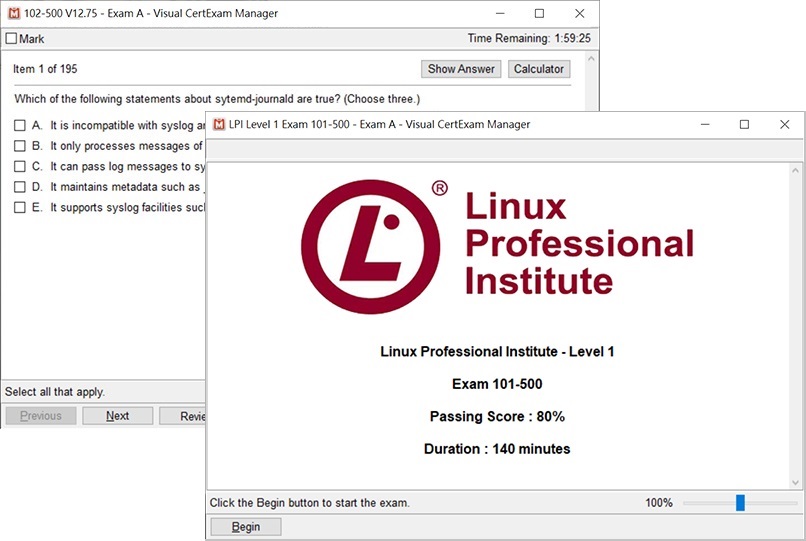
Visual Cert Exam (VCE) 模擬考試軟件,增強考試能力!
課程中您會學會:系統架構與安裝:掌握硬體設定、系統引導流程(Boot
Process)及執行等級管理。Linux
檔案系統與導航:深入理解 Linux 目錄結構、權限控制(Permissions)與硬體連結。命令列操作與文字處理:熟練運用
Shell 指令、管道(Pipes)、重新導向及強大的文字過濾工具(如 grep, sed)套件與軟體管理:精通
Debian 系(apt)與 Red Hat 系(dnf/yum)的軟體包安裝與更新維護系統維護與自動化:學習基本
Shell 腳本(Scripting)編寫、進程管理(Process Management)及日常排程任務(cron)網路與安全基礎:設定基本網路參數、理解防火牆概念及安全外殼協定(SSH)遠端管理。
課程電腦設備:
授課語言:
課程全長:
8 堂 x 3 小時 ( 理論 + 實戰 ) , 合共 24 小時
 |
LINUX1101 11 月 01 日 ( 逢星期日 , 2:30 PM - 5:30 PM ) , 共 8 堂 . |
( 登記成為 基本會員 或 金會員 或 365 特級會員 即可 免費報讀 本課程 (自選日程) , 詳情按此 )
HK$ 3,980 ( 正價 )
HK$ 3,480 ( 優惠價 )
|
請即致電 2380 9888 ( 來電請設有 來電顯示) / WhatsApp 確認優惠 . * 每學員優惠使用次數不限 . 優惠不可重疊使用 . 優惠詳情請參閱課程內頁相關說明 . |
試題數量: 60 題
考試時間: 120 分鐘
合格分數: 70 %
模擬試題參考

(102-500) LPI Level 1 Exam Part 2
試題數量: 60 題
考試時間: 120 分鐘
合格分數: 70 %
模擬試題參考
成功通過考試後獲得的國際認可證書及資格:

 GNU
and Unix Commands
GNU
and Unix CommandsWork
Effectively on the Unix Command Line
Process
Text Streams Using Text Processing Filters
Perform
Basic File Management
Use
Unix Streams, Pipes, and Redirects
Create,
Monitor, and Kill Processes
Modify
Process Execution Priorities
Perform
Searches of Text Files Making Use of Regular Expressions
Devices,
Linux File Systems, Filesystem Hierarchy StandardCreate
partitions and filesystems
Maintain
the integrity of filesystems
Control
filesystem mounting and unmounting
Set
and view disk quota
Use
file permissions to control access to files
Manage
file ownership
Create
and change hard and symbolic links
Find
system files and place files in the correct location
Boot,
Initialization, Shutdown, Run LevelsBoot
the system
Change
runlevels and shutdown or reboot system
DocumentationUse
and Manage Local System Documentation
Find
Linux documentation on the Internet
Write
System Documentation
Provide
User Support
Administrative
TasksManage
users and group accounts and related system files
Tune
the user environment and system environment variables
Configure
and use system log files to meet administrative and security needs
Automate
system administration tasks by scheduling jobs to run in the future
Maintain
an effective data backup strategy
Hardware
& ArchitectureConfigure
fundamental system hardware
Setup
SCSI and NIC Devices
Configure
Modem, Sound cards
Linux
Installation and Package ManagementDesign
hard-disk lay-out
Install
a boot manager
Make
and install programs from source
Manage
shared libraries
Use
Debian package management
Use
Red Hat Package Manager (rpm)
KernelManage
kernel modules at runtime
Reconfigure,
build and install a custom kernel and modules
Text
editing, Processing, PrintingPerform
basic file editing operations using vi editor
Manage
printers and print queues
Print
files
Install
and configure local and remote printers
Shells,
Scripting, Programming, CompilingCustomize
and use the shell environment
Customize
or write simple scripts
X
WindowsInstall
& Configure XFree86
Setup
XDM
Identify
and terminate runaway X applications
Install
& Customize a Window Manager Environment
Networking
FundamentalsFundamentals
of TCP/IP
TCP/IP
Troubleshooting & Configuration
Configure
and use PPP
Networking
ServicesConfigure
and manage inetd and related services
Operate
and perform basic configuration of sendmail
Operate
and perform basic configuration of apache
Properly
manage the NFS, smb, and nmb daemons
Setup
and configure basic DNS services
SecurityPerform
security admin tasks
Setup
host security
Setup
user level security